Drive System/'s
ALL DrivesBattery Type/'s
-Lithium 100AH Batteries with 3.3KW Charger-Lithium 200AH Batteries with 3.3KW Charger
-Lithium 100AH Batteries with 6.6KW Charger
-Lithium 200AH Batteries with 6.6KW Charger
HVAC System/'s
All HVACManufacture Dates
Between 09/24/2012 Thru 11/29/2016
Battery disconnect:
Shut offthe main battery disconnect located in the front right wheel well. Also makesure front battery charger inlet plug is disconnected from the main power grid.
How to access and remove thecharger:
(ExcludingAir Conditioner equipped vehicles)
In order toaccess the battery charger the front hood needs to be opened and the tunnelcover in the center needs to be lifted open. The battery charger is the blackbox located on the passenger’s side of the tunnel. A way to know it’s thecharger the center of it has a fan attached to it. Removal of charger consistsof unplugging the three connectors. AC plug, DC plug and CANBUS plug. Note thatthe CANBUS external box is to be removed and discarded as well unless you haveother older lithium vehicles than the CANBUS external box may be kept forfuture repairs. Unbolt charger and remove.
Air Conditioner equipped vehicles:
In order to accessthe battery charger for air conditioned equipped vehicles you will need to gounder the rear of the vehicle. Behind the rear axle you will see a largealuminum tray. The charger will be mounted to the top of this tray. A way toknow it’s the charger the center of it has a fan attached to it. Removal ofcharger consists of unplugging the three connectors. AC plug, DC plug andCANBUS plug. Note that the CANBUS external box is to be removed and discardedas well unless you have other older lithium vehicles than the CANBUS externalbox may be kept for future repairs. Unbolt charger and remove.
Reprogramming BMS for newcharger
The BMS must have the programparameters adjusted in order for the charger to turn on and charge. To do sothis will require your own computer and e-ride programming cables part# U5665A& U5666A. The program cable will plug into the black connector located justabove the accelerator pedal. This type of connector is referred to as an OBDIIconnector. Plug the other end of the cable into the USB port of your computer. Pluginthe vehicle just as if you were going to re-charge it. Open up computer programlabeled Orion BMS utility and follow these steps.
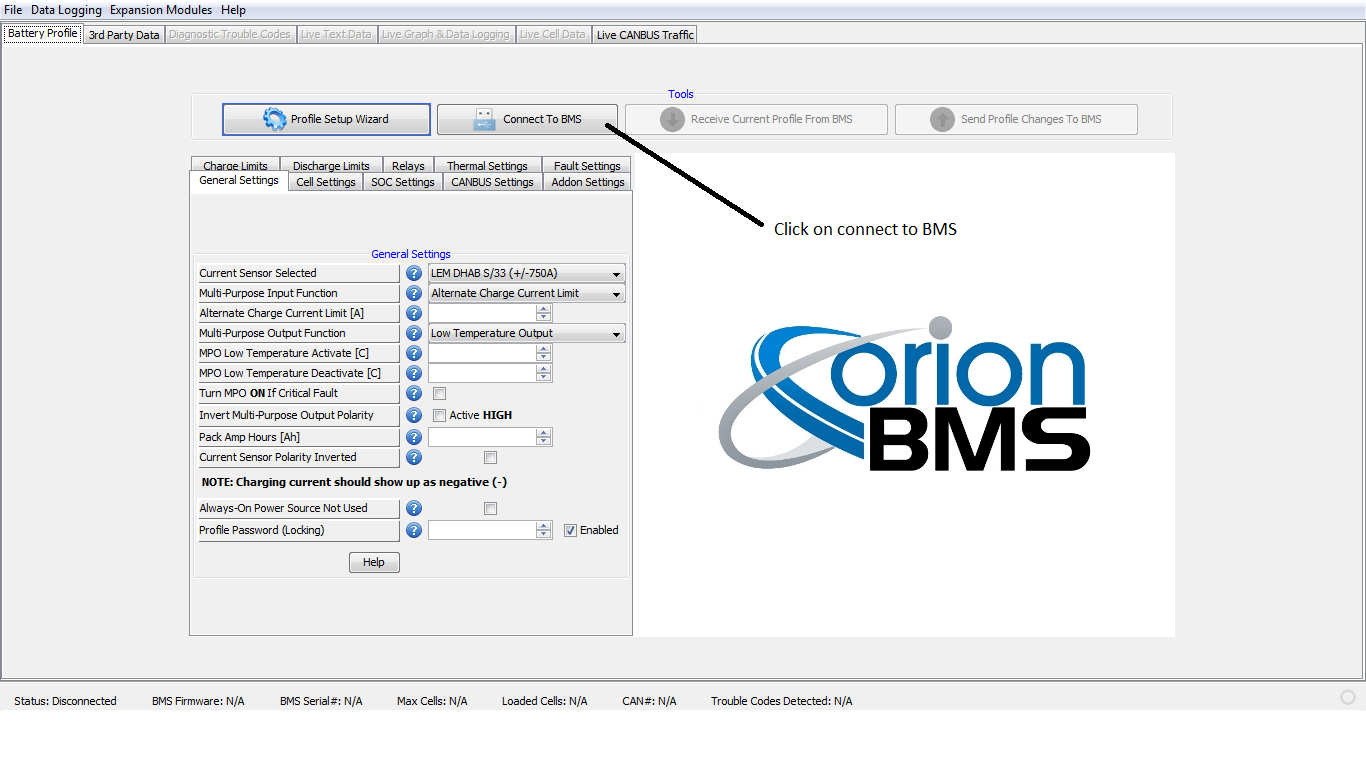
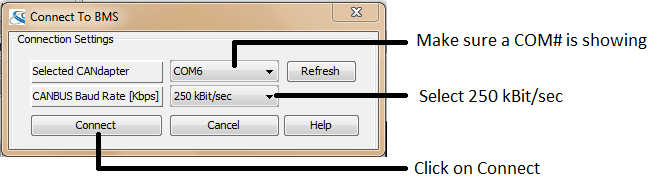
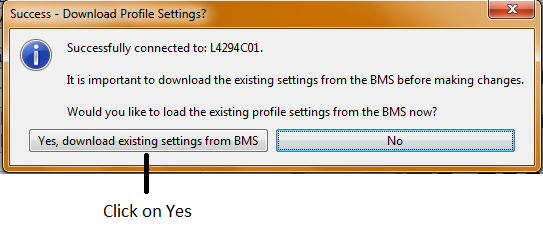
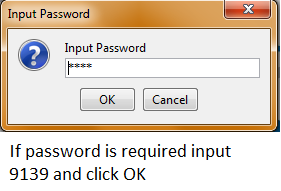
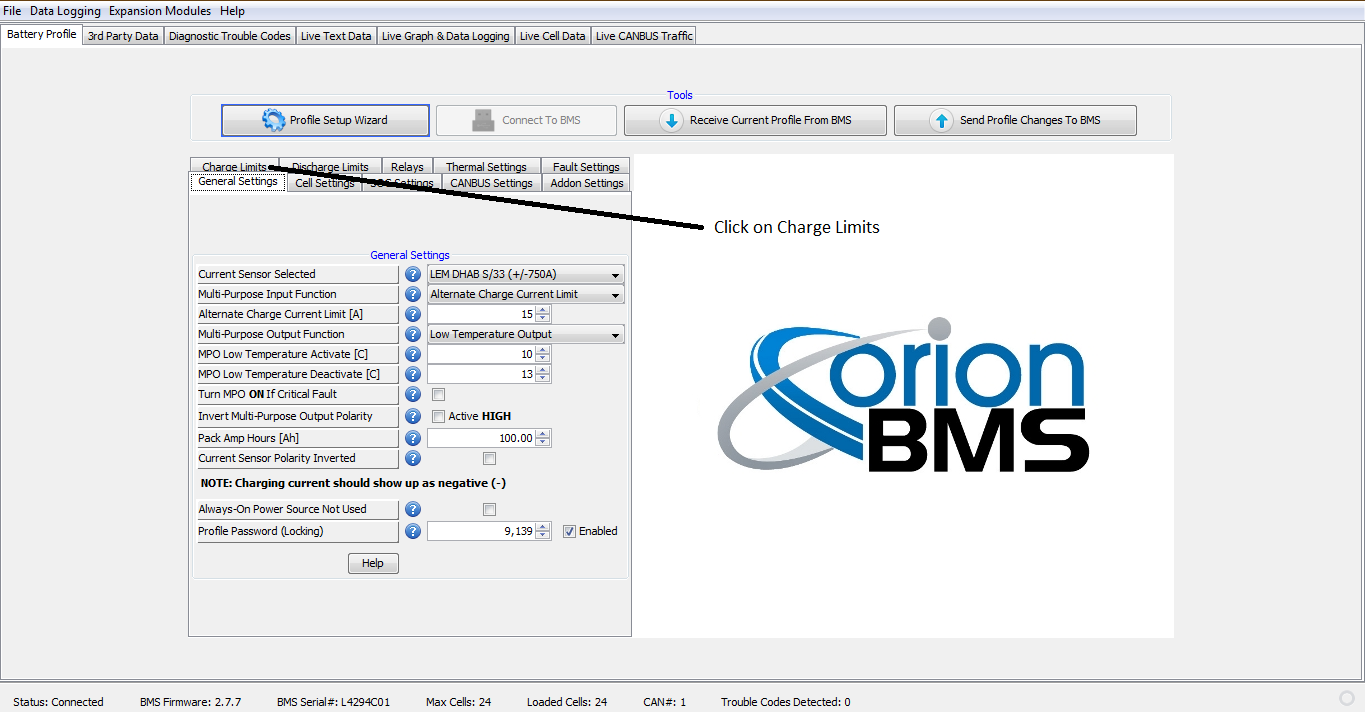
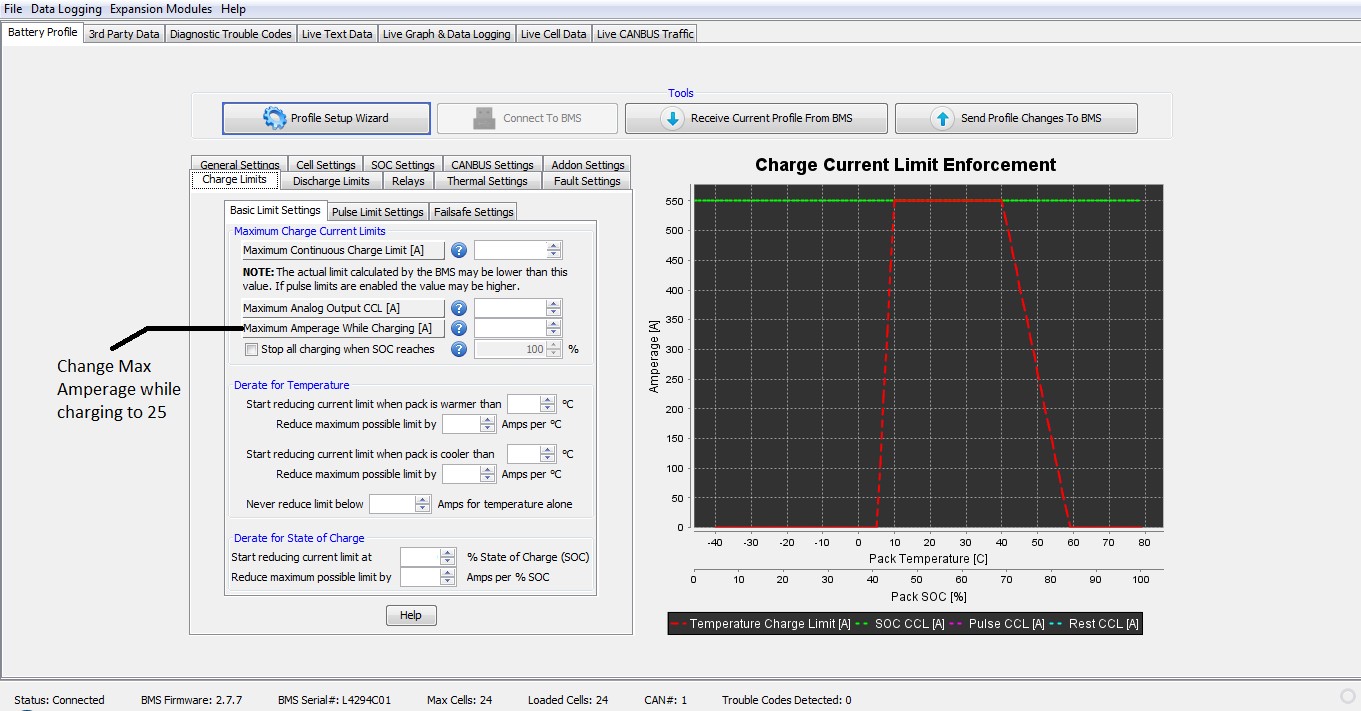
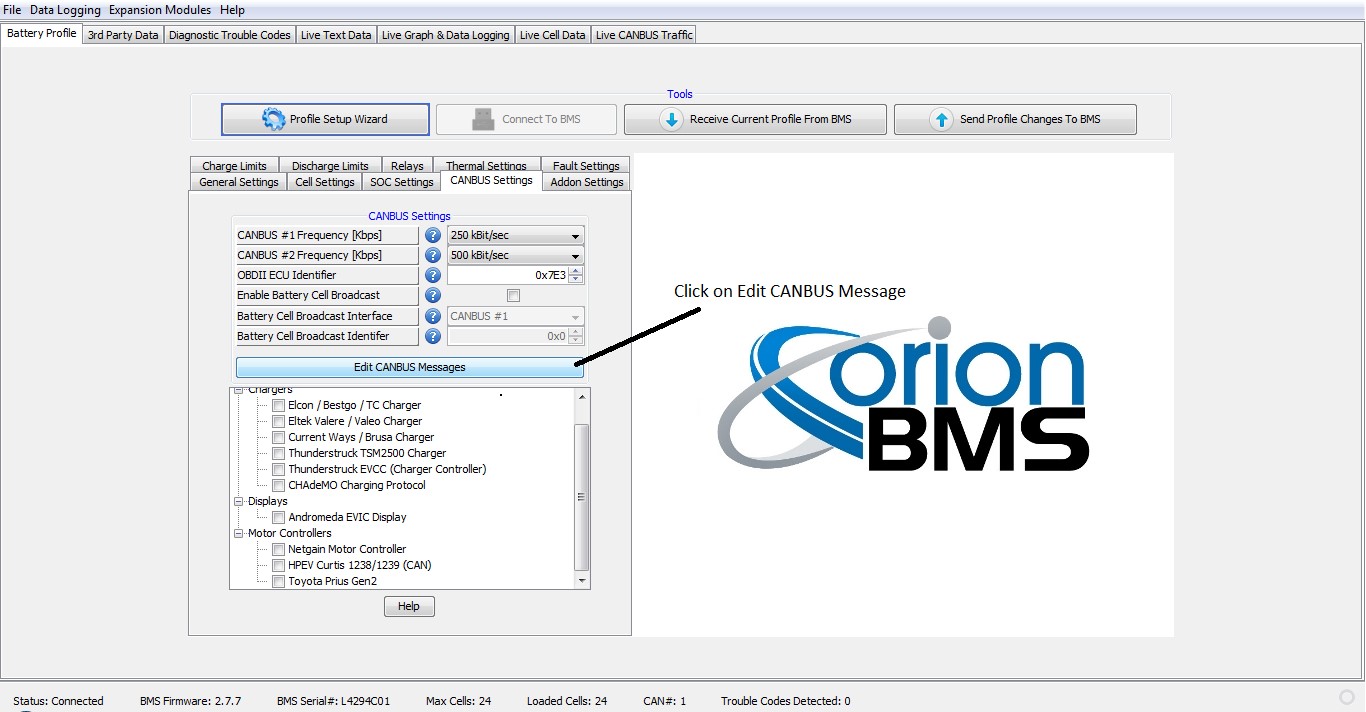
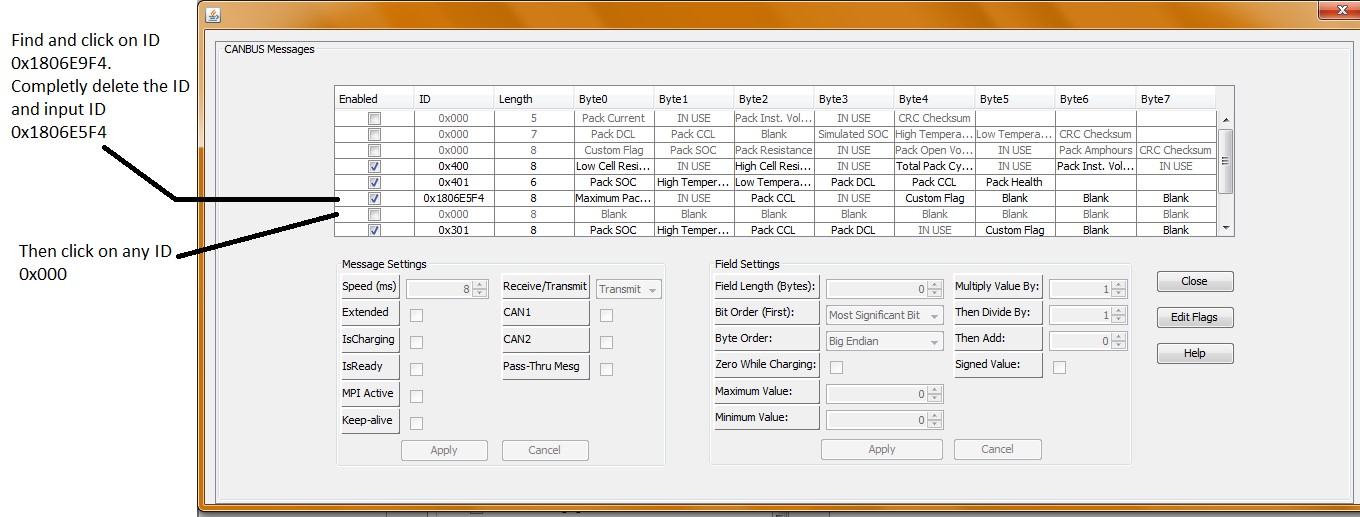
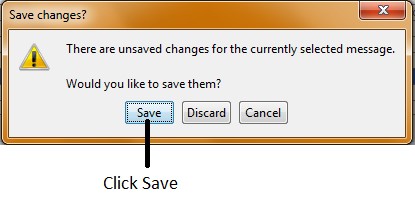
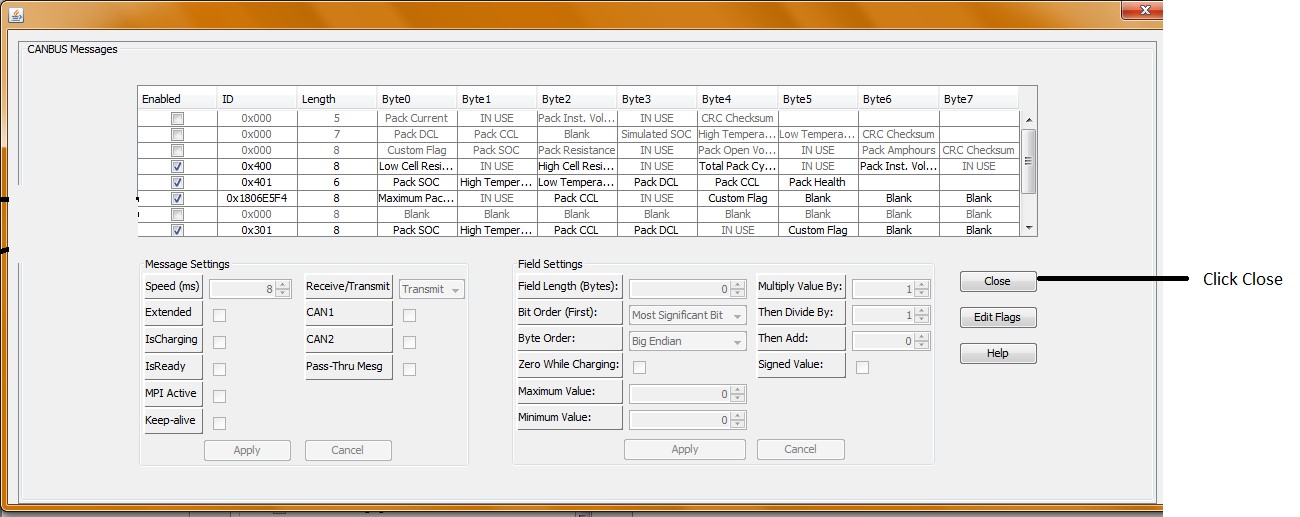
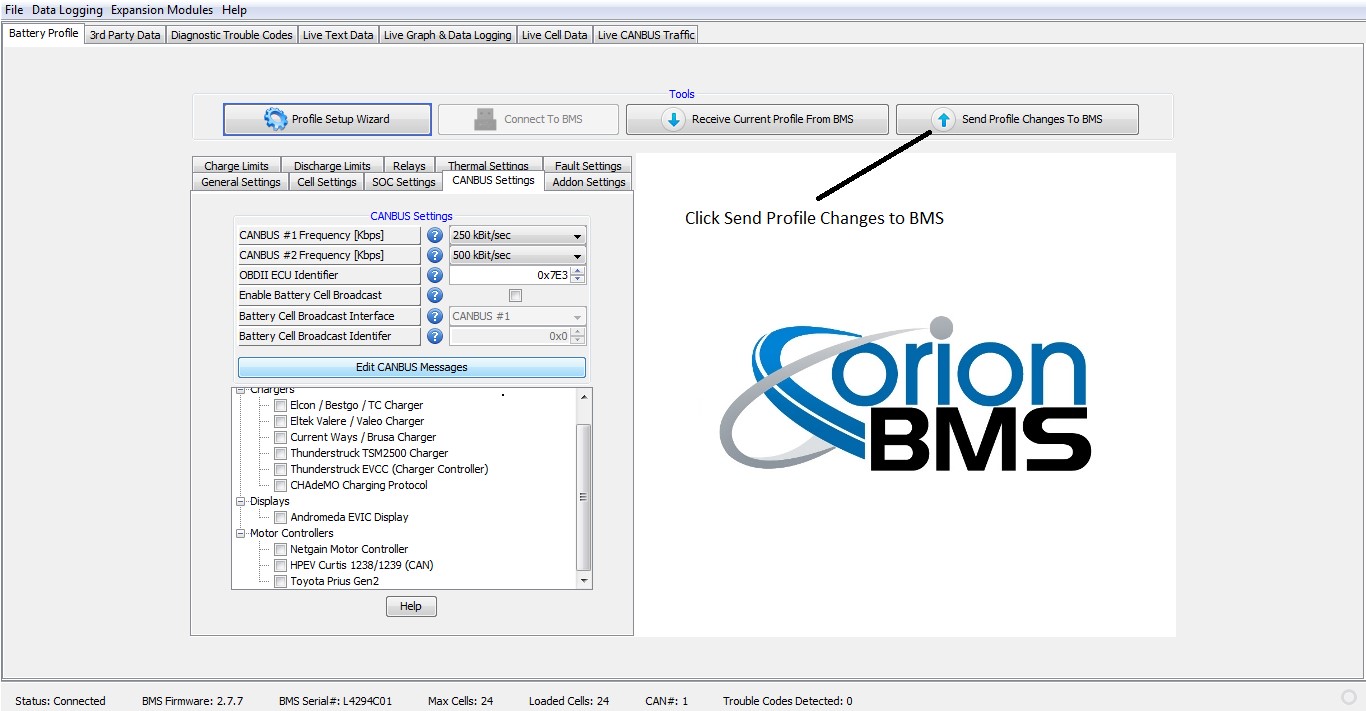
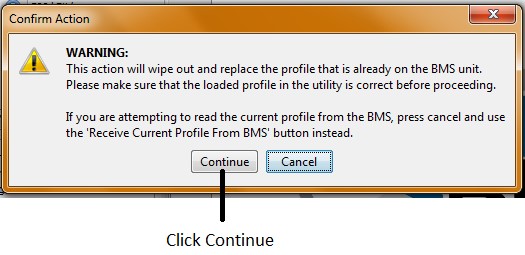
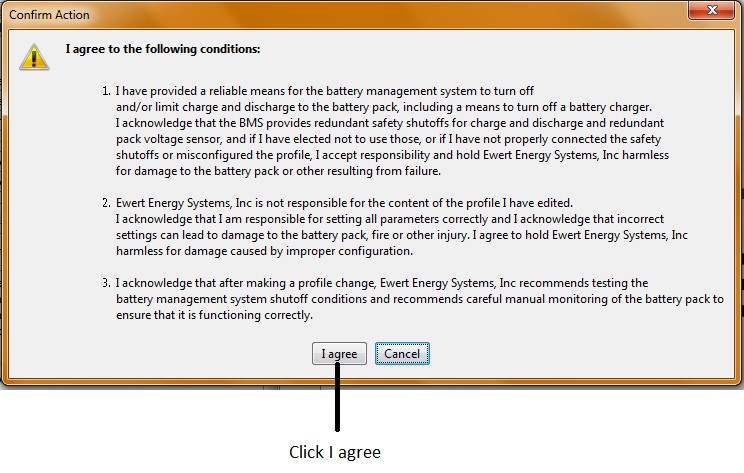
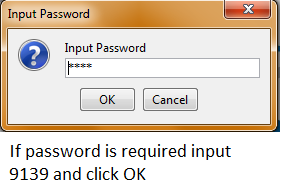
Program will load and will show that it was successfully loaded. Turn on main battery disconnect switch if not done so already. Vehicle should be charging. You can confirm this by opening the tab labeled live cell data. The pack current should show a negative number such as -15 or -25 depending on the AC voltage being used to recharge the vehicle.